+86-15022658927
  sales@ziwincctv.com
  English
 français
 Deutsch
 Español
 italiano
 русский
 português
 العربية
 tiếng việt
 ไทย
ไทย Türkçe
 Pilipino
 עברי
עברי Afrikaans
 Polska
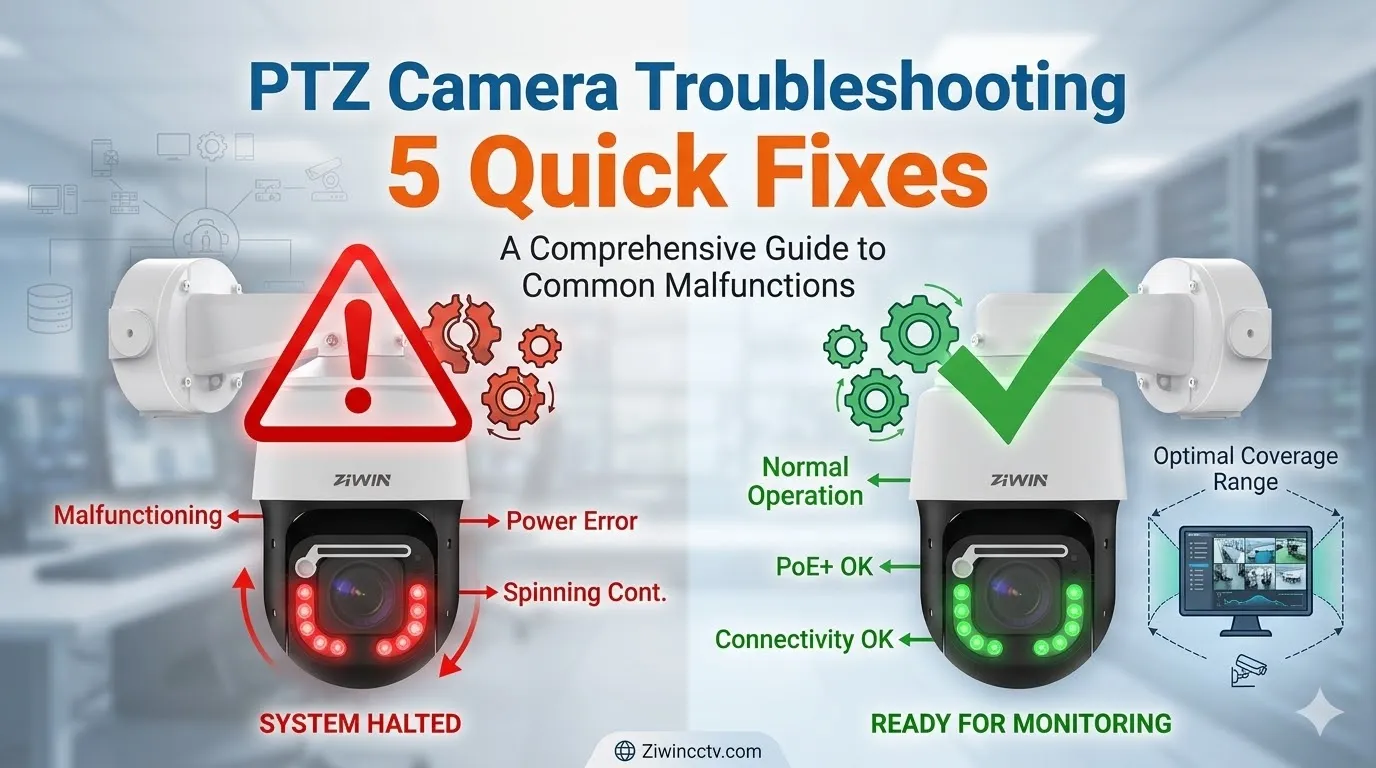
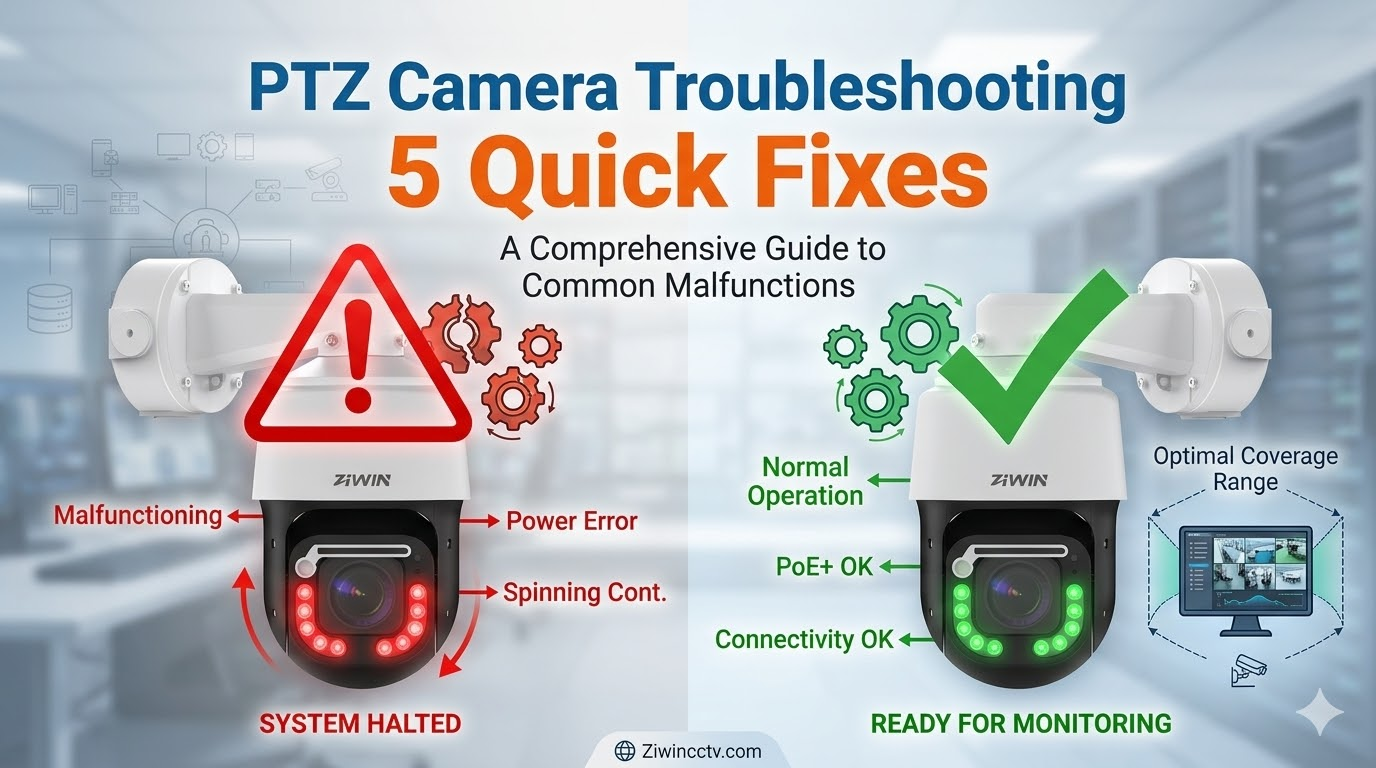
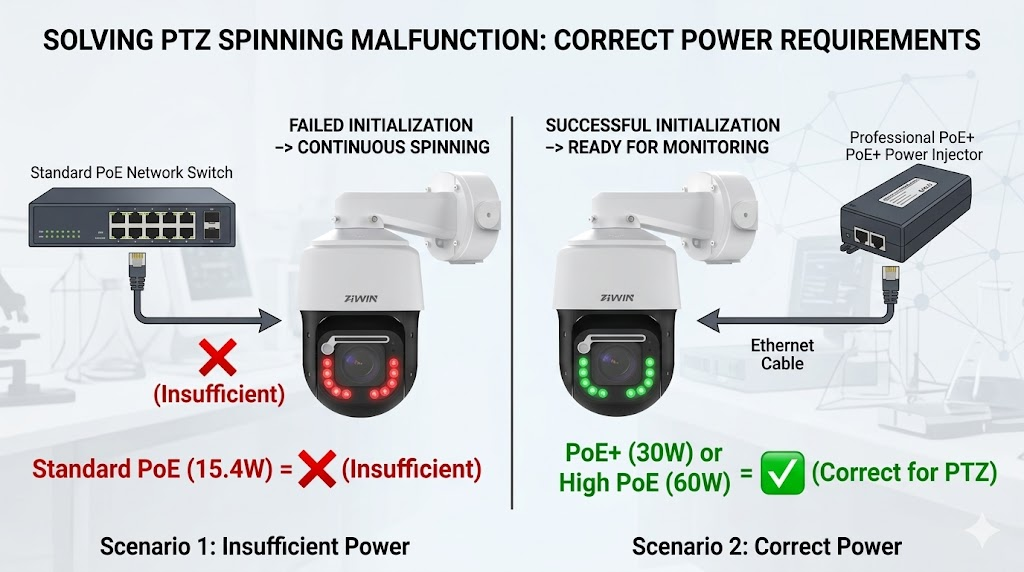
When a PTZ camera keeps spinning, it usually means the camera failed to complete its initialization process or is receiving continuous control commands. The camera may rotate endlessly after startup, move in circles, or keep returning to a wrong preset position.
Common Causes
Startup self-test failure
Preset patrol loop
Stuck joystick command
RS485 address conflict
Encoder failure
Motor feedback error
Wrong pan limit settings
Firmware bug
This problem is different from normal patrol or auto-cruise. If the PTZ camera keeps spinning even after patrol mode is disabled, the issue may be mechanical or electronic.
How to Fix It
Disconnect joystick or RS485 controller temporarily.
Disable preset tour, patrol, scan, and auto-cruise functions.
Reboot the camera and watch the self-test.
Restore PTZ configuration to default.
Check whether multiple devices share the same RS485 address.
Update firmware if the issue appeared after configuration changes.
If spinning continues, inspect the encoder, limit sensor, or motor feedback system.
Important Note
A PTZ camera that keeps spinning should not be left running for a long time. Continuous rotation may overheat the motor, increase gear wear, and damage internal cables if the slip ring or cable routing is not designed for endless rotation.
3. How to Reset a PTZ Camera
Many PTZ camera problems can be solved by a reset, especially when the issue is caused by incorrect configuration, forgotten passwords, failed presets, IP conflict, or unstable firmware settings.
| Reset Method | What It Does | When to Use |
|---|---|---|
| Soft reboot | Restarts the camera without deleting settings | Temporary freezing, lag, or unstable control |
| Configuration restore | Resets selected settings such as PTZ, network, or image parameters | Wrong presets, focus issue, protocol mismatch |
| Factory reset | Restores the camera to original factory settings | Forgotten password, serious configuration error, repeated malfunction |
How to Reset PTZ Camera Settings
Log into the camera web interface.
Go to System, Maintenance, or Configuration.
Choose reboot if the problem is temporary.
Choose restore if only PTZ, image, or network settings are wrong.
Choose factory reset only if you have backed up important settings.
After reset, reconfigure IP address, user password, video stream, ONVIF, presets, and patrol.
Physical Reset Button
Some PTZ cameras have a physical reset button inside the housing, on the cable tail, or near the main board. Pressing and holding the reset button for 10–15 seconds usually triggers factory reset. The exact process depends on the camera model.
Warning Before Factory Reset
Do not factory reset an outdoor PTZ camera installed on a remote site unless you have access to the device or know its default IP address and login credentials. A factory reset may remove network settings and make the camera unreachable from the NVR.
4. PTZ Camera Offline or Disconnecting
A PTZ camera offline problem is often caused by network or power issues rather than the camera module. The camera may disappear from the NVR, fail ONVIF discovery, disconnect at night, or show unstable live view.
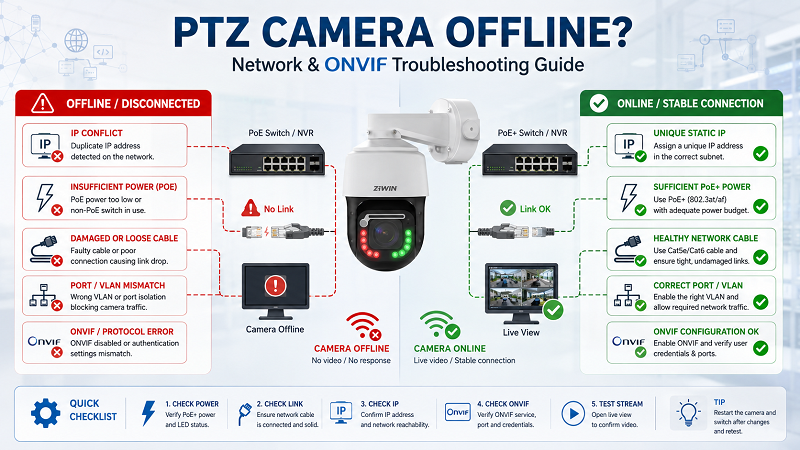
Common Causes
IP conflict
Wrong subnet or gateway
Weak PoE power
Damaged Ethernet cable
Water-damaged RJ45 connector
Switch port failure
ONVIF disabled
Incorrect username or password
NVR compatibility issue
Bandwidth overload
If the camera goes offline only at night, check power first. IR LEDs, heater, and motor movement can increase power consumption, especially for outdoor PTZ camera installations.
For a dedicated network and ONVIF checklist, read ZIWIN's guide on PTZ camera offline.
How to Fix It
Ping the camera IP address.
Check whether another device uses the same IP.
Assign a unique static IP.
Replace or test the Ethernet cable.
Check switch PoE budget.
Confirm ONVIF is enabled.
Re-enter camera username and password in the NVR.
Test the camera directly from a browser.
Reduce stream bitrate if the network is overloaded.
Check outdoor connectors for corrosion or water intrusion.
When It Needs Repair
If the camera cannot be detected even after direct connection to a laptop, power is stable, and the cable is confirmed healthy, the network board or main board may need repair.
5. No Video or Black Screen
A PTZ camera may move normally but show no video. This can happen in the browser, NVR, VMS, or mobile app.
Common Causes
Wrong video stream format
H.265/H.264 compatibility issue
Incorrect NVR channel setting
Browser plugin issue
Camera image sensor failure
Main board fault
Lens module cable problem
Insufficient bandwidth
How to Fix It
Open the camera directly in a browser.
Test both mainstream and substream.
Change codec from H.265 to H.264 if the NVR does not support H.265.
Lower resolution and bitrate for testing.
Confirm the camera is added with the correct protocol.
Test with another NVR or VMS.
If OSD appears but image is black, inspect the image sensor or lens module.
6. Blurry Image or Auto-Focus Failure
A blurry PTZ camera image does not always mean the lens is damaged. It may be caused by a dirty dome cover, condensation, wrong focus mode, low contrast, IR reflection, or incorrect zoom calibration.
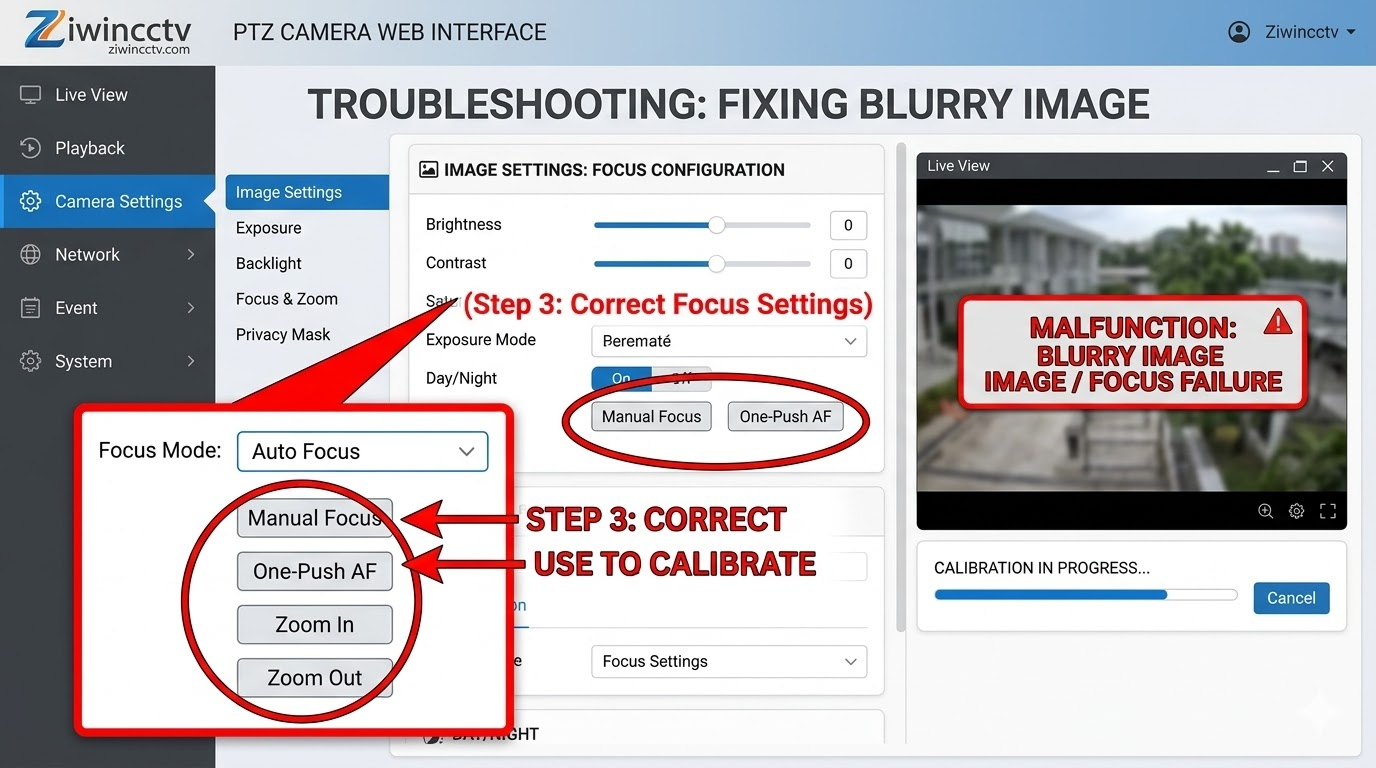
Common Causes
Dirty dome cover
Scratched transparent cover
Condensation inside the dome
Auto-focus calibration error
Low-light environment
IR reflection
Lens motor failure
Camera facing a flat or featureless surface
If the camera becomes blurry after zooming, the issue may be related to auto-focus calibration. If it becomes blurry only at night, IR reflection or dirty dome cover is more likely.
For more detailed focus diagnosis, see the article on PTZ camera auto-focus not working.
How to Fix It
Clean the dome cover with a microfiber cloth.
Remove spider webs, dust, and water stains.
Test manual focus and auto-focus separately.
Aim the camera at a detailed object, not a blank wall.
Check whether the image is blurry only at night.
Recalibrate focus from the camera settings.
Inspect condensation or fogging inside the dome.
If manual focus also fails, inspect the lens motor or focus module.
7. Water Ingress in "Waterproof" PTZ Cameras
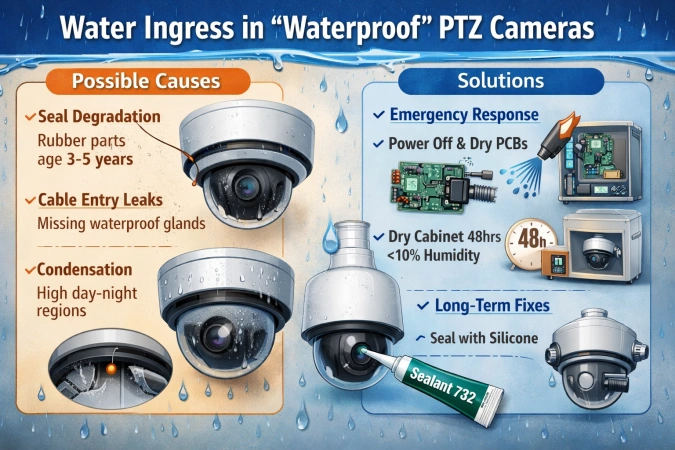
Possible Causes
· Seal degradation (rubber parts need replacement every 3-5 years)
· Cable entry leaks (missing waterproof glands)
· Condensation (in high day-night regions)
Solutions
✔ Emergency response:
· Power off immediately, dry PCBs with compressed air
· Place in a dry cabinet (<10% humidity for 48hrs)
✔ Long-term fixes:
· Apply silicone sealant (e.g., Dow Corning 732) during installation
· Install breather valves to equalize pressure
8. Night Vision Failure
Night vision problems are especially common in outdoor PTZ camera systems. The image may look completely black, washed out, foggy, noisy, or overexposed.
Common Causes
IR LEDs not turning on
Dirty dome cover
IR reflection
Faulty ICR filter
Weak power supply
Wrong day/night mode
Object too far from IR range
Moisture inside the dome
Lens cover or bracket blocking IR light
A black image usually means the PTZ camera does not receive enough light or the IR illuminator is not working. A white foggy image usually means IR light is reflecting back into the lens.
This section can be supported by the dedicated article on troubleshooting PTZ IR illuminators.
How to Fix It
Switch the camera to night mode manually.
Check whether IR LEDs turn on in darkness.
Clean the dome cover.
Remove objects too close to the camera.
Check for glass reflection, wall reflection, or ceiling reflection.
Confirm power supply is enough for IR operation.
Test ICR switching.
Replace the IR board or ICR module if hardware failure is confirmed.
9. RS485, Pelco-D or ONVIF Control Failure
If video works but PTZ control does not, the problem is often a control protocol issue.
Common Causes
Wrong Pelco-D or Pelco-P setting
Incorrect baud rate
Wrong RS485 A/B wiring
Duplicate camera address
ONVIF user permission error
NVR does not support full PTZ control
Firewall or port restriction
PTZ control disabled in user account
How to Fix It
Confirm whether the camera uses IP control, RS485 control, or both.
Match protocol, baud rate, and address.
Swap RS485 A/B wires if control does not respond.
Create an ONVIF user with administrator permission.
Confirm PTZ control is enabled in the NVR.
Test control from the camera web interface.
Update NVR firmware if ONVIF control is incomplete.
10. Auto-Tracking Failure on Smart PTZ Camera
A smart PTZ camera uses AI or intelligent analytics to detect and follow people, vehicles, or other targets. When auto-tracking fails, the camera may lose the target, follow the wrong object, move too late, or stop tracking after a few seconds.
Common Causes
Wrong detection target type
Tracking zone too small
Camera mounted too high or too low
Target too small in the image
Weak lighting
Strong backlight
Cluttered background
Incorrect sensitivity
Firmware or AI algorithm limitation
For deeper AI calibration, connect this section to ZIWIN's article on troubleshooting PTZ camera auto tracking.
How to Fix It
Confirm the target type: human, vehicle, or motion.
Set the correct detection area.
Avoid placing the tracking zone too close to the image edge.
Adjust sensitivity and minimum target size.
Test tracking during day and night.
Avoid reflective backgrounds and heavy traffic scenes.
Update firmware if the AI algorithm has improved.
For critical projects, choose a smart PTZ camera with stronger edge AI and stable pan/tilt control.
Should You Repair or Replace a PTZ Camera?
Not every PTZ camera repair is worth the cost. The decision depends on camera value, installation cost, project importance, warranty, spare parts, and failure type.
| Situation | Repair Recommended? | Why |
|---|---|---|
| Dirty dome, loose cable, wrong settings | Yes | Low-cost fix |
| IP conflict or ONVIF setting error | Yes | Configuration issue, not hardware |
| Minor focus calibration issue | Yes | Usually fixable through settings |
| IR board failure on professional camera | Usually yes | Replacement part may be cost-effective |
| Motor or gear failure on industrial PTZ | Usually yes | Expensive camera, repair may be worthwhile |
| Water-damaged low-cost camera | Usually no | Repair may exceed replacement cost |
| Repeated main board failure | Replace | Reliability risk is high |
| Old camera with poor image quality | Replace | Upgrade gives better resolution, AI, and stability |
For high-value sites such as airports, ports, borders, factories, telecom towers, and remote infrastructure, replacing an unreliable camera with a more durable outdoor PTZ camera may reduce long-term maintenance cost.
PTZ Camera Repair Checklist
Before sending a PTZ camera for repair, record the following information:
Camera model
Firmware version
Power supply method
Cable length
Switch or NVR model
Installation environment
Exact failure symptom
Whether the problem happens day or night
Whether the problem happens after rain, cold weather, or strong wind
Screenshot or video of the issue
Steps already tested
This information helps engineers identify whether the problem is power, network, mechanical, optical, firmware, or environmental.
Preventive Maintenance for Outdoor PTZ Cameras
Regular maintenance can prevent many PTZ camera failures.
| Frequency | Maintenance Task |
|---|---|
| Monthly | Clean dome cover, check live view, test pan/tilt/zoom. |
| Quarterly | Check presets, patrol routes, auto-tracking, and night vision. |
| Every 6 months | Inspect waterproof connectors, bracket screws, cables, and seals. |
| Yearly | Review firmware, check power supply, test IR, inspect mechanical noise. |
| After storms | Check water intrusion, cable damage, pole vibration, and image stability. |
For outdoor PTZ camera systems in coastal, desert, cold, or high-humidity environments, maintenance intervals should be shorter.
FAQs About PTZ Camera Troubleshooting
Can a PTZ camera be repaired?
Yes, many PTZ camera repair cases are possible, especially when the issue is related to power, cable, settings, IR board, lens module, motor, gear, or connector damage. However, replacement may be better for low-cost cameras with water damage, repeated board failure, or outdated image quality.
Why does my PTZ camera lose presets?
Preset drift can happen when the bracket is loose, gears have backlash, the motor loses steps, or the camera is affected by wind and vibration. Recalibrate presets and inspect mounting stability.
What is the difference between a PTZ camera and a pan tilt unit?
A PTZ camera integrates pan, tilt, and zoom in one camera system. A pan tilt unit is a motorized positioning platform used to rotate a mounted camera, sensor, radar, antenna, or payload.
How do I hard reset my PTZ camera to factory settings?
To perform a hard reset, locate the physical reset button on the camera's pigtail cable or inside the dome cover. While the camera is powered on, press and hold the button for 10-15 seconds until the camera reboots and initiates its self-test spin. Alternatively, you can reset it via the web interface under System Settings > Maintenance.
Why does my PTZ IP camera keep going offline or disconnecting?
A: Intermittent connection drops are often caused by IP address conflicts, faulty Ethernet cables, or weak network bandwidth. First, assign a static IP address to your camera instead of using DHCP. Next, inspect the RJ45 connector for water damage or corrosion, which is a frequent issue in outdoor installations.
How long does a standard outdoor PTZ camera last?
A: A high-quality outdoor PTZ camera typically lasts 5 to 7 years, depending on environmental conditions and usage frequency. Moving parts like motors and gears are usually the first to wear out. If your current camera requires frequent and costly repairs, it might be time to upgrade. Check out Ziwin's reliable PTZ camera types built with heavy-duty motors and backed by our professional warranty.
Why does my PTZ camera occasionally reset itself?
A: Check for oxidized limit switches or power interruptions.
Post-rain control failures?
Likely water-shorted 485 wires—upgrade to potted waterproof connectors.
Need Help Choosing a Reliable PTZ Camera?
If your current PTZ camera frequently fails, keeps spinning, loses focus, goes offline, or cannot perform stable auto-tracking, ZIWIN can help evaluate whether repair, replacement, or a customized PTZ solution is the better choice.
Right model + Proper installation + Regular maintenance =
✔ 80% fewer failures
✔ 5-8 years longer service life
✔ Mission-critical reliability
Send your camera model, application environment, installation height, monitoring distance, power supply method, and failure symptoms. Our engineers can recommend a suitable smart PTZ camera, outdoor PTZ camera, long range PTZ camera, or pan tilt unit solution for your project.